Indoor Workout Lights
Light that follows your workout, from your Mac.
Indoor Workout Lights drives your workout light while you train indoors: a WaterRower LightRing over Bluetooth, or a Philips Hue color lamp through your Hue Bridge. It shows your heart rate zone, paces your stroke rate, or keeps a fixed color, and it runs next to your workout app. Free on the Mac App Store.
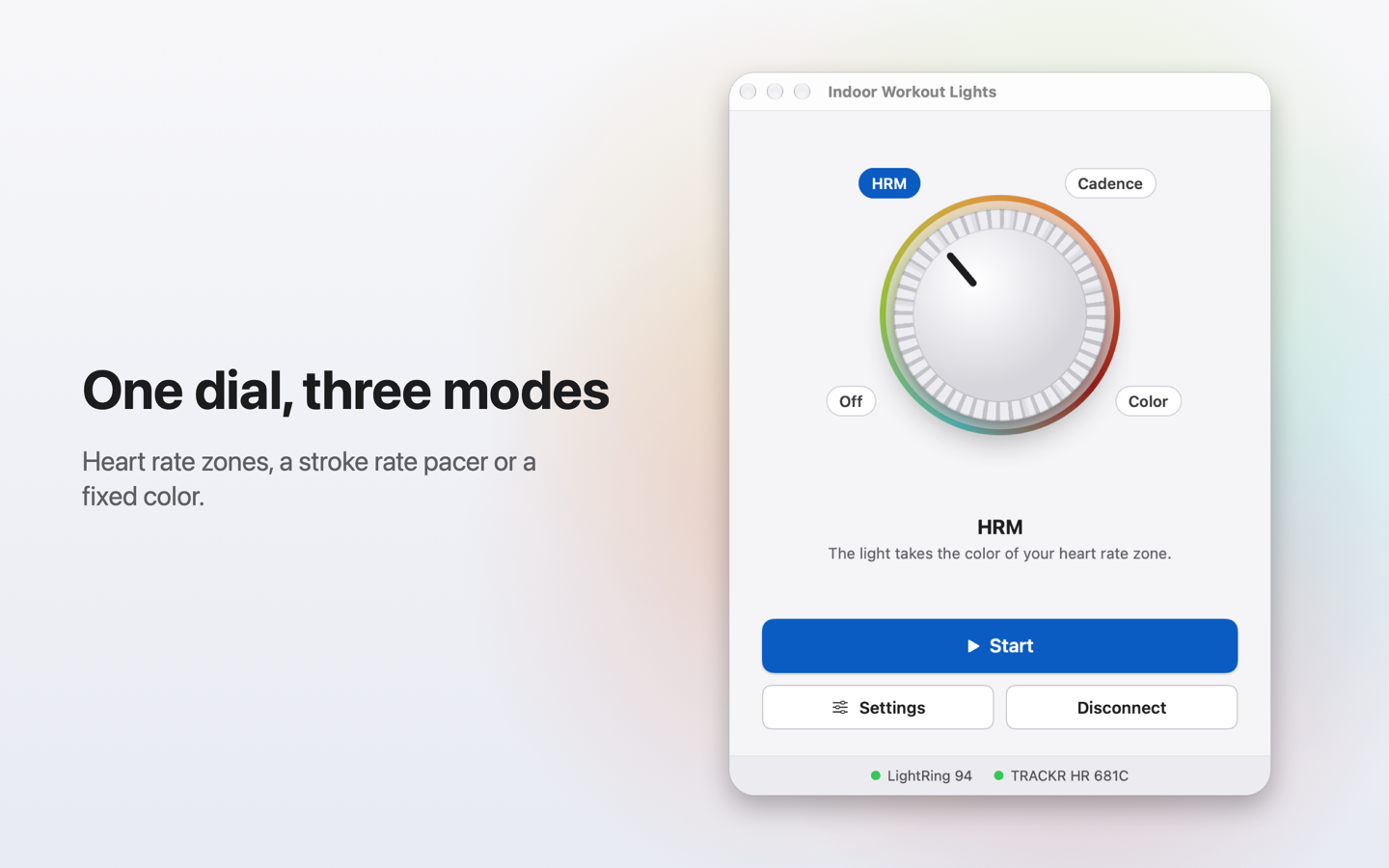
Three modes
- Heart rate: the light takes the color of your heart rate zone, read from a Bluetooth heart rate strap. Zones, limits and colors are yours to set.
- Cadence: the light pulses at your target strokes per minute, with one color for the drive and one for the recovery.
- Color: one fixed color, with an optional slow glow.
What you need
- A Mac with Bluetooth, macOS 14 Sonoma or later.
- A light: a WaterRower LightRing, or a Philips Hue color lamp with a Hue Bridge on the same network as your Mac. More kinds of lights will follow.
- For the heart rate mode, a Bluetooth heart rate strap (for example a Wahoo TRACKR HR).
Support
Trying the app without a light
On the connection screen, click "Try the demo": the light and the strap are simulated, so you can try every mode. "End Demo" goes back to the real devices.
The light is not found
Close WaterRower Connect on your phone: the light accepts only one connection at a time. Then unplug the light, plug it back in, and wait a few seconds.
The Hue lamp is not found
Check that the lamp is switched on at the wall and that the Hue Bridge is on the same network as your Mac. If macOS asked about the local network, allow Indoor Workout Lights (System Settings, Privacy & Security, Local Network). Only color lamps are listed.
The app cannot use Bluetooth
Open System Settings, Privacy & Security, Bluetooth, and allow Indoor Workout Lights.
The strap is not found
Wet the strap contacts and put it on: most straps only turn on when they sense your heart. In Settings, General, "Change…" lists the straps in range.
Contact
Write to support@onebyte.fr. Please include your Mac model, your macOS version and the version of the app (Indoor Workout Lights, About).